
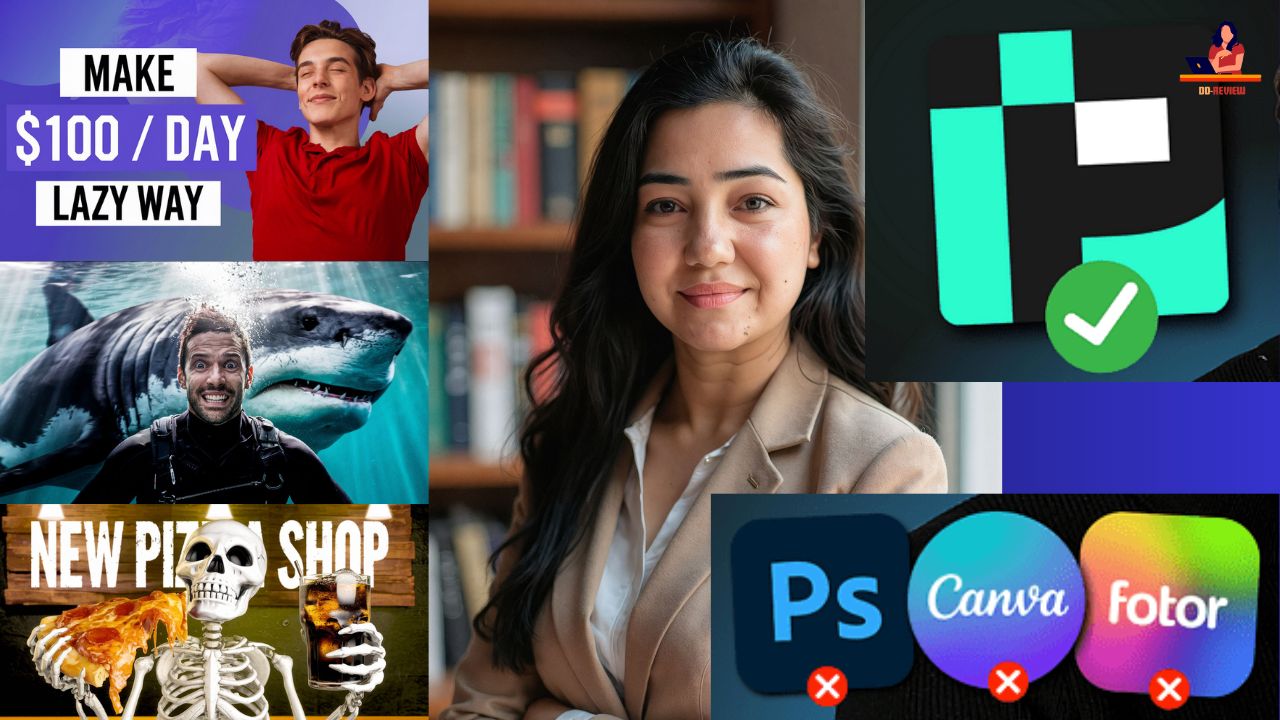
Pikzels AI Review: Is This the Best AI Thumbnail Maker in 2025?
Pikzels AI Review – I purchased a plan for the Pikzels AI thumbnail generator to help you save both time and money.
In this post, I will provide a review of Pikzels and evaluate whether it’s worth your investment.
Disclaimer: This post contains affiliate links, which come at no additional cost to you.
🚀 Level up your thumbnails with Pikzels AI today!
Quick Recap
Here’s a brief summary for our busy readers.
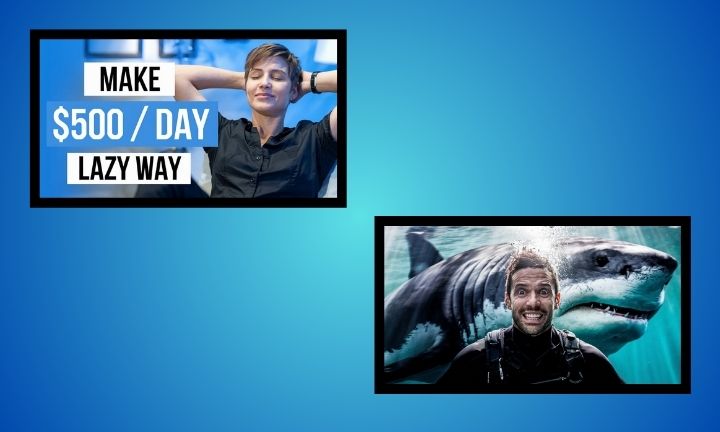
Pikzels is the top AI thumbnail generator I’ve tested. To illustrate, here are two thumbnails I created using the tool:
This tool handles everything for you, eliminating the need to learn various editing and customization features.
Simply specify what you want to see, and the AI will take care of the rest.
The only downside is that the free trial is quite limited, and the free thumbnails come with a prominent watermark.
Let’s dive into the review.
My Experience with Pikzels
I’d like to share my results with Pikzels and explain how it works to set realistic expectations.
First, let’s create a basic viral thumbnail. After that, I will demonstrate how to add your face, customize it, and elevate it to the next level.
Create Thumbnail
The workflow in Pikzels is straightforward. Simply instruct the AI on what you want to create.
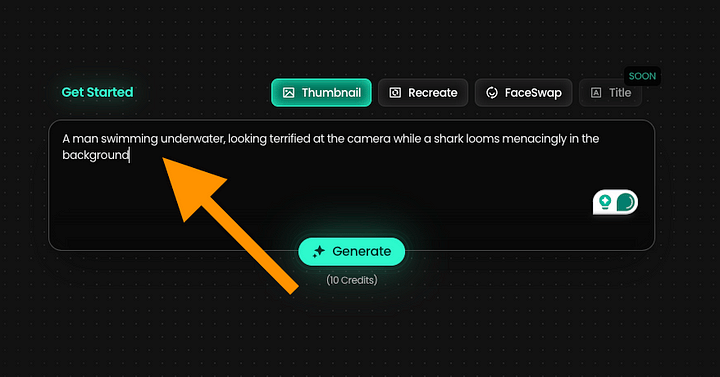
For instance, you can use an input like: “A man swimming underwater, looking terrified at the camera while a shark looms menacingly in the background.”
After that, just wait for about 20 seconds.
After waiting, you’ll see the initial version of your thumbnail.
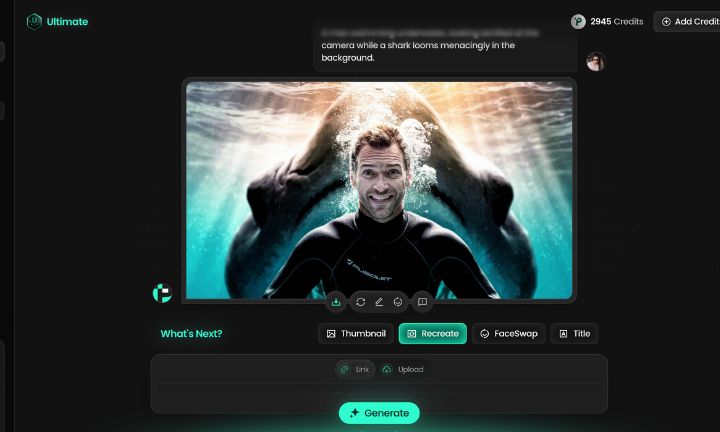
A man is swimming underwater, appearing terrified as he looks at the camera, while a shark ominously looms in the background.
That’s impressive! However, it’s worth noting that AI has been able to accomplish this for nearly two years now, with tools like ChatGPT easily handling similar tasks.Now, let’s explore what makes this tool unique.For each image, you have three main options:
- Redo
- Edit
- Faceswap
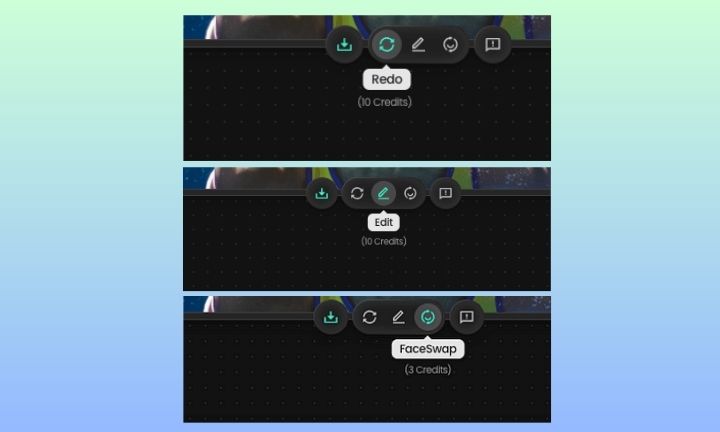
After one round of using Redo, here’s a new version of the thumbnail I received earlier:
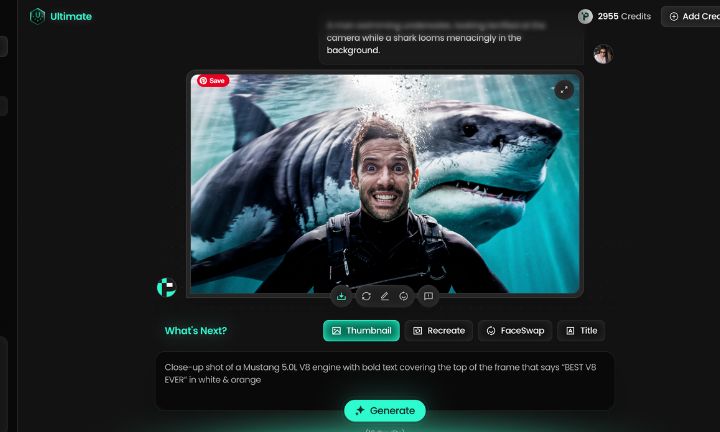
Keep in mind that using AI is often a bit of a gamble. You need to experiment to achieve the best results and to understand what works and what doesn’t. One helpful tip is to use simple inputs. Avoid overwhelming the system with too many details at once.
The “Thumbnail Copy” Feature
Now, let’s explore the feature that makes Pikzels an outstanding AI thumbnail creator.
It’s the Recreate feature. With this tool, you can easily take a thumbnail from your favorite channel and generate a similar one with minimal effort.
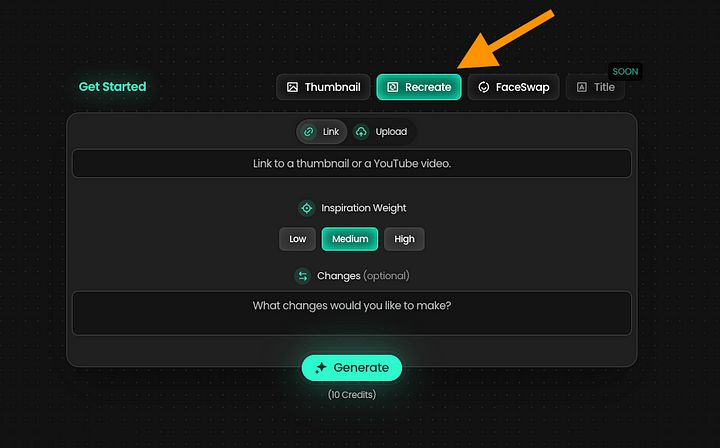
For instance, here’s an excellent thumbnail I discovered on YouTube.

🎨 Create stunning thumbnails effortlessly—try Pikzels now!
I’d like to create a similar thumbnail for my video as well.
To accomplish this, I simply need to link to the video in the Pikzels app, and it will handle everything else for me.
On YouTube, you can locate the shareable link by clicking on the three dots next to the video:
Then copy the link to the clipboard.
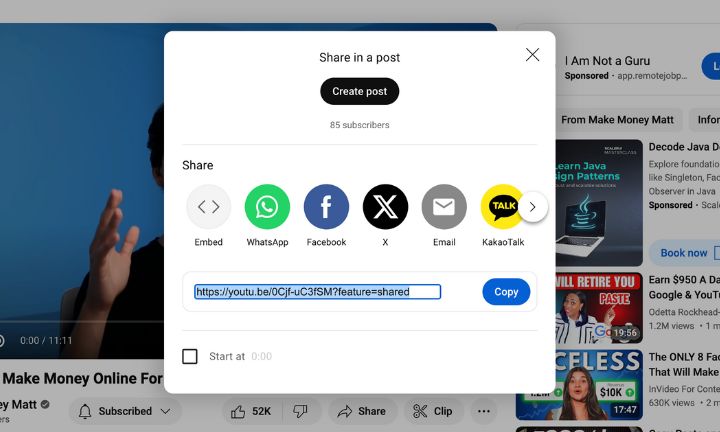
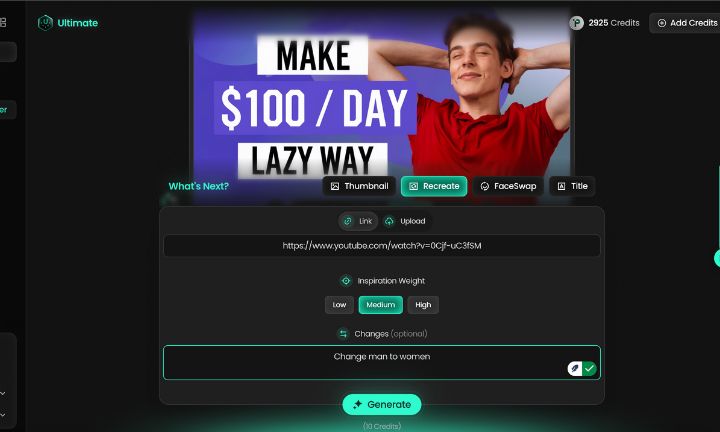
Next, paste the link into Pikzels. Additionally, adjust the Inspiration weight and specify what changes you’d like to make to the original thumbnail.
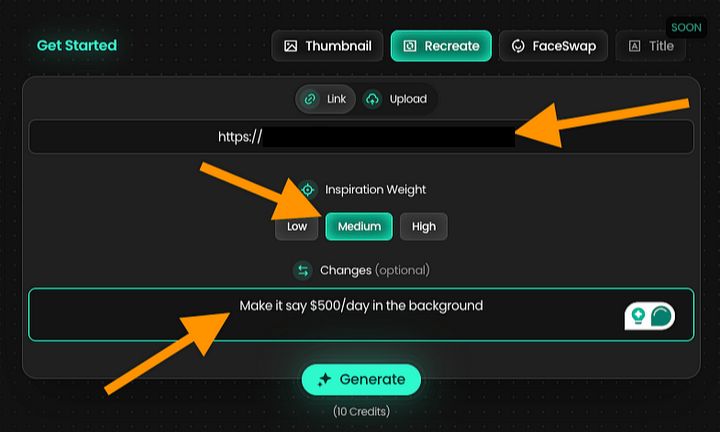
For instance, I instructed the AI to display $500/day instead of $100/day.
Here’s the result I received:
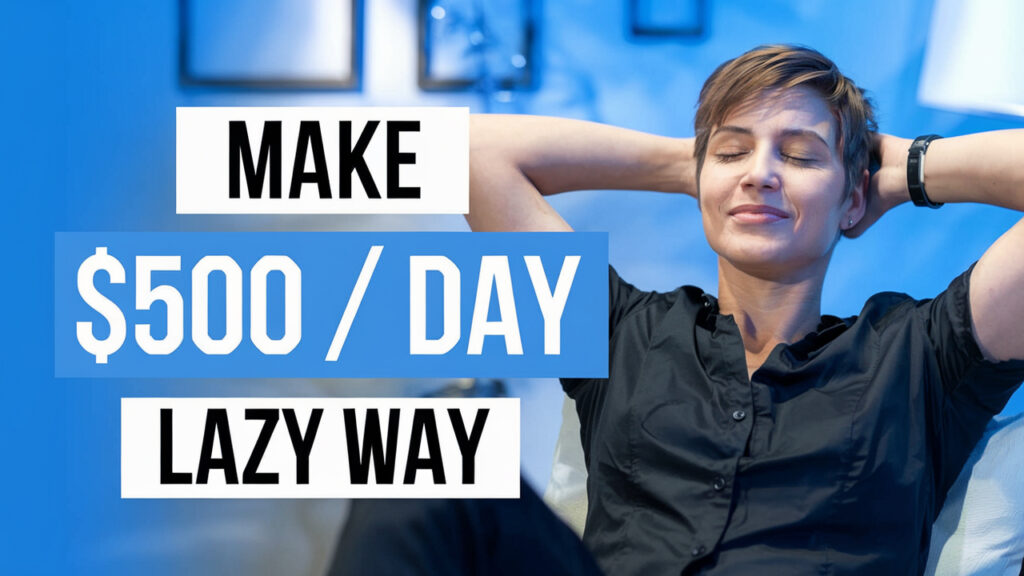
I also want to create a similar thumbnail for my video.
⏱️ Save time and design like a pro with Pikzels AI!
Pretty cool, huh? It has exactly the same vibe and style as the original one. Here’s a side-by-side check:

Tip: One Step at a Time
When creating or editing thumbnails with Pikzels, it’s best to take a step-by-step approach. Start with straightforward instructions to generate the thumbnail, and then make edits one at a time.Here’s how I created the thumbnails above:
- Recreate
- Edit: “Darker background”
- Generate
- Edit: “Remove glasses”
- Generate
- Edit: “Remove background helmet”
- Generate
- Edit: “Change background color”
This method prevents the AI from feeling overwhelmed. Aim to stick to one or two instructions for each edit.
That’s the secret to crafting amazing thumbnails with AI!
Pikzels Pricing
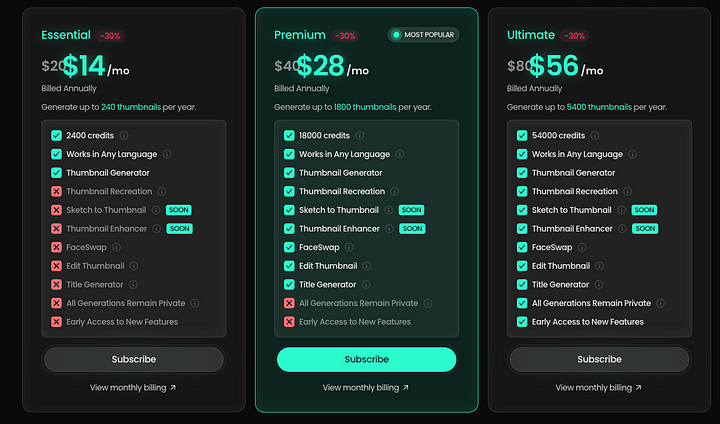
Pikzels.com Pricing Plans
Pikzels.com offers three subscription plans, billed annually:
- Essential: $14/month
- Basic features
- 2400 credits
- 240 thumbnails per year
- Premium: $28/month
- Most popular plan
- Additional tools
- 18,000 credits
- 1,800 thumbnails per year
- Ultimate: $56/month
- All features unlocked
- 54,000 credits
- 5,400 thumbnails per year
Higher tiers come with increased credits, features, and advanced tools.
🎥 Perfect for YouTubers—create thumbnails that stand out with Pikzels!
Pros and Cons of Pikzels
Pros:
- User-Friendly: It’s easy to use; just tell the AI what you want, and it will create a matching thumbnail.
- Best Results: After testing various options, I found that Pikzels delivered the best results.
- Face Swap Feature: The thumbnails may not initially look like you, but with Pikzels, you can perform a realistic face swap to make the person in the thumbnail resemble you.
- Epic Inspiration Feature: Pikzels allows you to replicate an existing thumbnail and create similar-styled thumbnails based on it.
Cons:
- Limited Free Trial: The free trial is not very useful. You can create only 5 thumbnails with a large watermark, which I find inadequate.
- Inconsistent Results: Sometimes, you may spend credits and still receive poor results and inconsistent edits.
- Costly: At $80/month for 300 thumbnails, you often need to create 20-30 thumbnails with edits just to get one good one.
- Risk of Overuse: Tools like this can quickly lose their impact. Once everyone starts using them, it can lead to a perception of “AI-generated garbage” for thumbnails.
My Honest Take
If you’re new to creating thumbnails, I recommend giving Pikzels AI a try. It can save you time and inspire fresh ideas.
However, there is a caveat.
As more people gain access to tools like this, the once eye-catching, viral thumbnails may begin to feel like “generic AI-generated content.”
That said, platforms like Pikzels.com are still relatively new, so they haven’t yet diluted the impact of great thumbnails—at least not for now. Only time will reveal the long-term effects.
It’s important to stay updated on trends and understand what works.
Recently, YouTube appears to be moving towards minimalistic content with fewer edits, and thumbnails are following this trend—simple, accurate designs are making a comeback, allowing the content to speak for itself.
🌟 Don’t settle for less—Pikzels AI is your secret weapon for success!
READ MORE REVIEWS –
How Do I Manifest What I Want?: A Fast and Easy Step-by-Step Guide